The Top 10 Web Design Pitfalls and How to Avoid Them

Amy Kesler • April 20, 2018
Avoid Costly Mistakes When Designing Website

Creating an effective website is essential for the success of your online business. However, many web design mistakes can negatively impact the user experience, resulting in lost traffic and conversions. In this article, we'll discuss the top 10 web design pitfalls and how to avoid them.


1. Poor Navigation

One of the most common web design mistakes is poor navigation. A confusing or cluttered navigation menu can make it difficult for visitors to find the information they need, causing them to quickly leave your site. To avoid this pitfall, make sure your navigation menu is organized and easy to understand.


2. Slow Load Times

Slow load times are another common problem with many websites. Visitors are often turned off by slow loading pages, and may choose to leave your site if it takes too long to load. To improve load times, consider optimizing your images, compressing your files, and using a content delivery network.


3. Unappealing Visual Design

A visually unappealing website can turn visitors away, regardless of the quality of your content. Make sure your website has a clean, professional look that is consistent with your brand. Consider using high-quality images and graphics, and be careful not to use too many colors or fonts.


4. Lack of Mobile Optimization

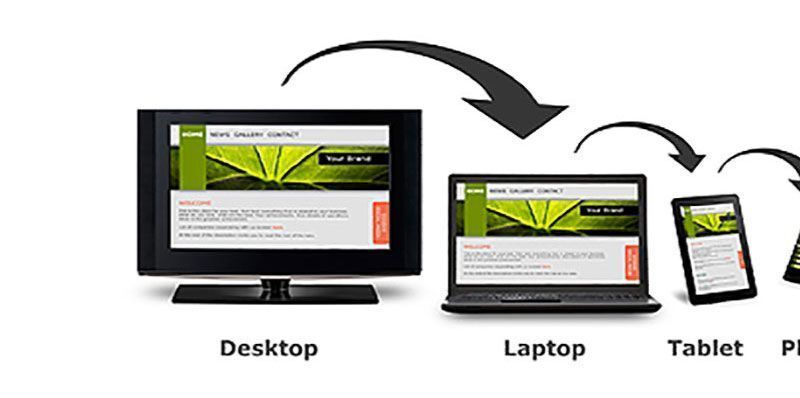
With the growing number of mobile users, it's essential to ensure that your website is optimized for mobile devices. A website that is not optimized for mobile can be difficult to navigate and slow to load on smaller screens, causing visitors to quickly leave. Make sure your website is responsive and designed to work well on all devices.


5. Overuse of Pop-Ups and Ads

Pop-ups and ads can be intrusive and annoying, causing visitors to quickly leave your site. To avoid this pitfall, use pop-ups and ads sparingly, and make sure they are relevant to your content.


6. Inadequate Content

A website with insufficient content can be a turn-off for visitors, causing them to quickly leave. Make sure your website has enough high-quality content to provide value to your visitors, and consider using blog posts, infographics, and other forms of multimedia to enhance the user experience.


7. Poor Typography

Poor typography can make your website look unprofessional, and can also make it difficult for visitors to read your content. Make sure your website uses clear, easy-to-read fonts, and consider using larger font sizes for headings and body text.


8. Inadequate Contact Information

Providing adequate contact information is essential for building trust with your visitors. Make sure your website includes your business address, phone number, and email address, and consider including a contact form for visitors to easily get in touch.


9. Poor User Experience

A poor user experience can quickly turn visitors away, resulting in lost traffic and conversions. To avoid this pitfall, make sure your website is easy to navigate, loads quickly, and provides a positive user experience. Consider conducting user testing to identify areas for improvement.


10. Lack of Search Engine Optimization (SEO)

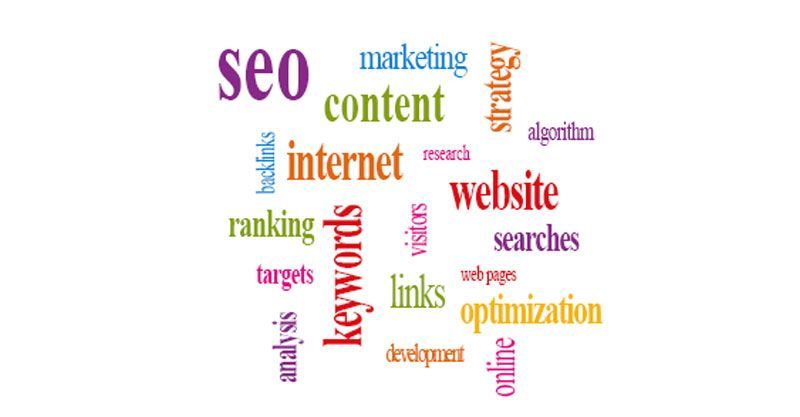
Finally, a lack of SEO can negatively impact the visibility of your website in search results, causing you to miss out on valuable traffic. Make sure your website is optimized for search engines by including relevant keywords, meta descriptions, and alt tags, and consider using an SEO plugin or service.


In conclusion, avoiding these top 10 web design pitfalls is essential for creating a successful website. You can't go wrong by focusing on providing a positive user experience, optimizing for search engines, and using high-quality content and images.


Keep in mind that I offer a FREE 30-minute phone consultation on these and other topics.

If you have an existing site, I would be glad to take a look at it and give you an honest assessment.

If you looking to create a new website and have questions, I will be glad to assist you.

Amy Kesler
In Sync Web Design, LLC
(913) 825-2587
amy.kesler@insyncwebdesign.com

By amy.kesler August 25, 2026
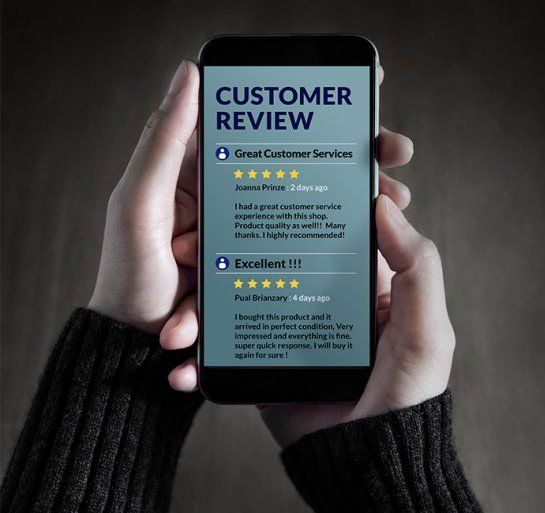
These days, when someone is interested in a business, it is easy for that person to find a wealth of information on that business just by searching the Internet. Not only is it possible to browse your business website to get a good idea of what you offer, but potential customers can also use reviews of your business to make the important decision of whether or not they want to work with you. This has very obvious implications when it comes to earning new customers . . . but did you know that online reviews can also go a long way in lending to your business website’s creditability, by strengthening its search engine optimization (SEO)? How so? Here are three ways online reviews can help your business SEO: Traffic. Simply put, having your business listed on review sites increases your online exposure. Increased exposure means more traffic to your business website. The more traffic your website has, the more attention it gets from search engine crawlers (those programs that find, examine, and valuate pages on websites), and the higher it will rank on search engine results lists. Linkbacks. Linkbacks are basically links to your site from other sites. Search engine crawlers identify linkbacks and figure them into your site’s overall relevance when determining your ranking in search engine results. The more linkbacks you have leading to your site, the more relevant your site will appear to be, and the higher it will sit on the results page. Many online review sites allow you to include links to your business site, so the more review sites you are registered with – and the more reviews your business gets – the stronger your linkback value will be. Strength in numbers . There are countless online review sites that you can list your business with, and that number is only growing. Be sure to register your business on sites like Google Places, Yelp, Foursquare, Bing, Angie’s List, and more, in order to get people talking about your business and linking to your website. In this way, SEO is about popularity: the more exposure you have on the web, the better your SEO. Online reputation management is a complex process, but it is also tantamount to your business success. To make the most of your online reputation, you may want to enlist the help of qualified and competent professionals like me, In Sync Web Design LLC. I can be reached by phone, at (913) 825-2587, or by email:amy.kesler@insyncwebdesign.com.
Domain Name
October 27, 2023
Domain Name Scams: Protecting Your Online Assets
January 12, 2023
Having a website for your business is crucial in establishing credibility and trust. This helps build a relationship with potential customers. It also provides a platform for customers to learn more about your products and service
Responsive Website Design
December 14, 2022
Discover why having a mobile-friendly website is crucial for the success of your business. Learn about the benefits of responsive website design and how to implement it.
SEO Optimization
By amy.kesler November 16, 2022
Write SEO-optimized articles by combining research, quality content, readability and optimization for high ranking success.
Secure Websites
By Amy Kesler October 19, 2022
Keep your website secure from cyber attacks with regular updates, strong passwords, security plugins, and a backup plan.
Customer Review
By Amy Kesler August 8, 2021
Identify fake reviews by looking for patterns, examining the profile, and checking for inconsistencies. Stay informed & protect your reputation.
Visitors to Website
By Amy Kesler July 10, 2020
Boost website traffic with low-cost tactics such as social media, guest posting, forum participation, email marketing, & SEO optimization.
Trusting People
By Amy Kesler June 4, 2019
Attract new clients by building a strong brand, offering exceptional customer service, & leveraging online & offline marketing strategies.
Hacking
By Amy Kesler August 21, 2018
Strengthen your website security with regular updates, strong passwords, trusted plugins, and a reliable backup plan.